Microsoft surface - TwoNav_Windows

Hi there, I owe a Microsoft surface and I just installed the TwoNav_Windows. My tablet has a working GPS but I cannot give acces TwoNav to my GPS. Does anyone know how I can do it?
This is what I see when I try to connect:
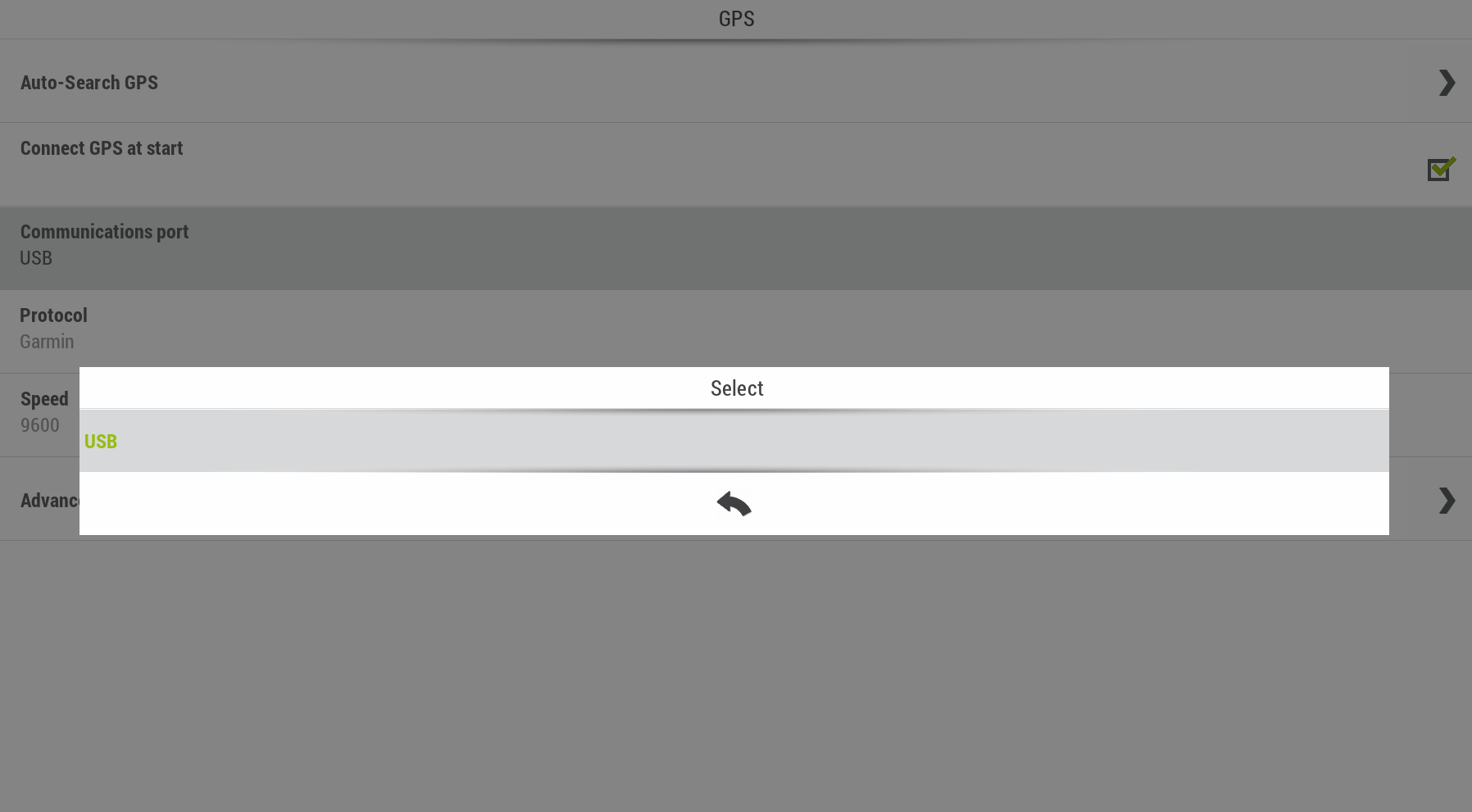
Also, is it possible to try the premium version 1 month for free?
Thanks in advance for your help!
-

Hello,
Your surface has a build-in GPS ? Yes ? I think com1 or USB are for external devices...
Are you outdoor to run TwoNav ? May be your surface do not receive satellits inside buildings.
Protocol: Garmin !!!??? There is others like NMEA.... or auto-detect... for Internal or external devices, I do not know.
Connect GPS at start: yes.
Of course, you tried Auto-search GPS...(but it is ports of communication)
Thierry said "send a request" I agree. It is all I can say, sorry.
Best regards
laurent
-
Hello,
Some searches lead me here (sorry it is french):
https://www.microsoft.com/fr-fr/p/surface-go/8v9dp4lnknsz?activetab=pivot:techspecstab
They say:
[1] Windows 10 en mode S fonctionne exclusivement avec les applications issues du Microsoft Store dans Windows et les accessoires qui sont compatibles avec Windows 10 en mode S. Il est possible de sortir du mode S, mais sans retour en arrière. Pour en savoir plus, consultez Windows.com/SmodeFAQ.
[1] Windows 10 in S mode works exclusively with applications from the Microsoft Store in Windows and accessories that are compatible with Windows 10 in S mode. It is possible to exit S mode, but without going back. For more information, see Windows.com/SmodeFAQ.
If you have W10 S Mode....
Best regards
Laurent

Please sign in to leave a comment.
Comments
4 comments