Information about the Terra device

Hi, I’ve been using the TwoNav app on my phone for a long time and have been very happy with it. As for a dedicated GPS device, I’ve always used Garmin, but lately, I haven't been satisfied with their products (lots of bugs). I’m interested in the TwoNav Terra, but I have a couple of questions:
1) The latest Garmin GPS units feature dual-band technology for reception. Am I right in thinking the Terra doesn't use this technology? Does it still provide an accurate signal, even in dense vegetation?
2) On my Garmin, I used a lot of national maps—converted to JNX or RMAP formats (OSM, IGM, regional maps, etc.). Can I add these custom maps I’ve created to the Terra? Is there a maximum file size? Is RMAP the only supported format?
Thanks
-
Thanks, Uwe. Of course, having a good raster map as a base (which I already have) plus a vector layer on top would be enough for me—but which vector map shows all the mountain and MTB trails? (Like the OpenMTB ones, for instance). Regarding the vector maps you linked to, do you mean these?
https://www.twonav-gps.de/sites/karten/hedgehog.html
I haven't looked into them in detail because I don't think Italy is included (I'm only interested in Northern Italy); or perhaps the "Alps" map might cover Northern Italy as well?
Addition:
Regarding those 'vmap' maps from the link above, the description says:
Alle OSM sind routable (Datenstand: 29.8.2026)
Besonderheit: Mit Hilfe von Papalunas Scripts erstellt. Schwerpunkte der Karte sind Bergwandern, Klettern & Radwandern. SAC Scale, MTB Scale, Wegbeschaffenheit u.v. mehr in die Wege eingetragen, Klettersteige mit Scale, viele POIs, z.B. Klettergärten, auch Notunterkünfte und Unterstellmöglichkeiten, Wegweiser, Fahrverbote für Fahrräder, Hausnummern, Öffnungszeiten etc.. Inklusive clay-file zu individuellen AnpassungThey seem to be maps similar to openMTB, apparently...
-

Yes I meant those maps. Try the Alps map, it covers Northern Italy. You can check the coverage at:
-
Thanks, Uwe; in the meantime, I had added a note to my previous message... These VMap maps look interesting—they might be just what I need, provided they cover my area (though I believe they do). I’m away for work right now, but as soon as I can, I’ll check and download them, and then update this thread. Thanks again.
-

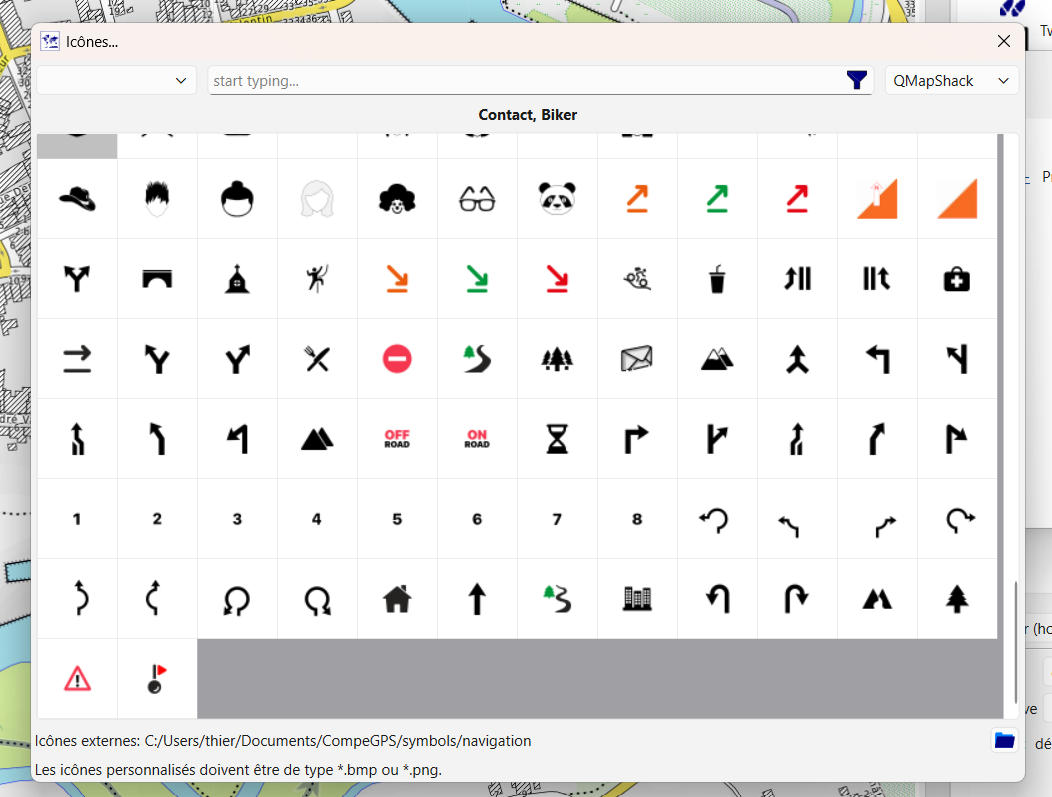
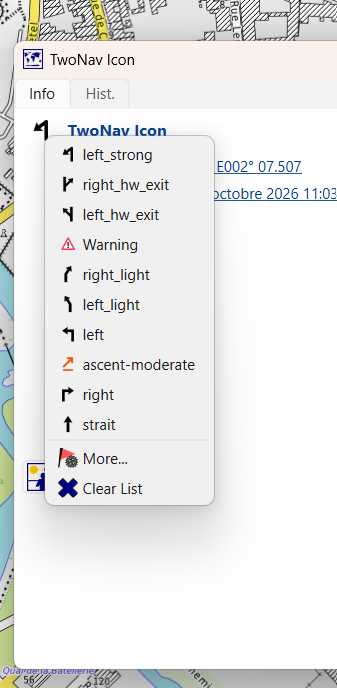
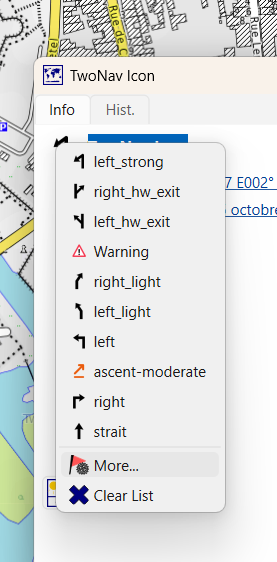
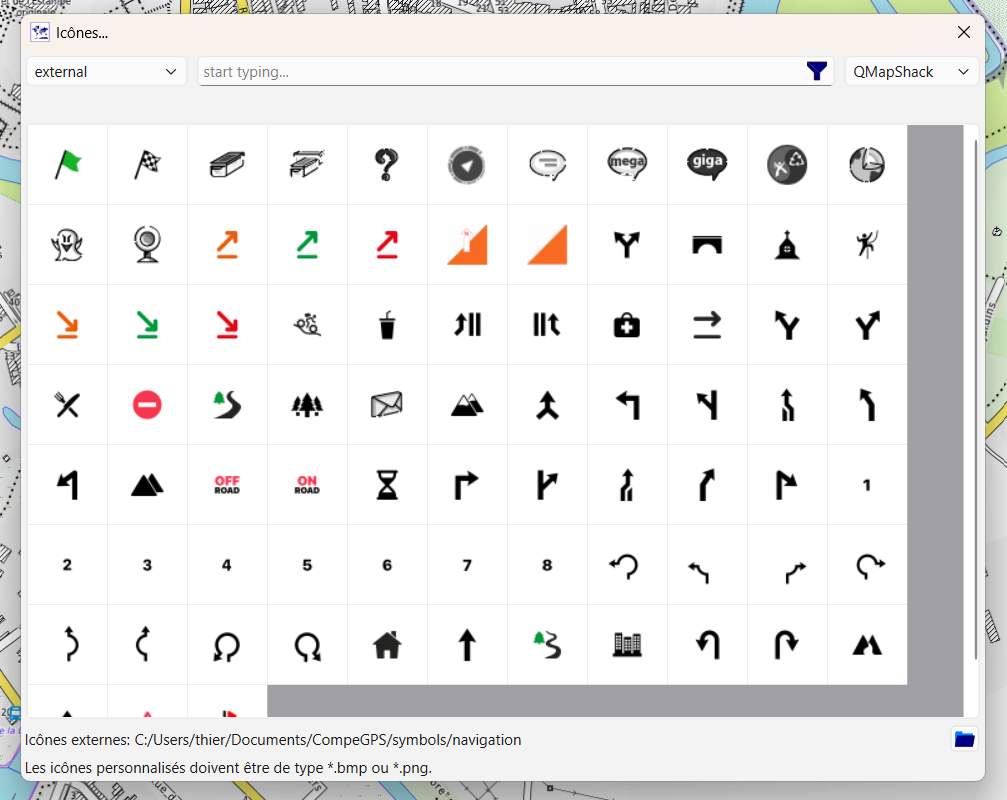
TwoNav Icon list in Qmap, used to make a road book for TwoNav GPS
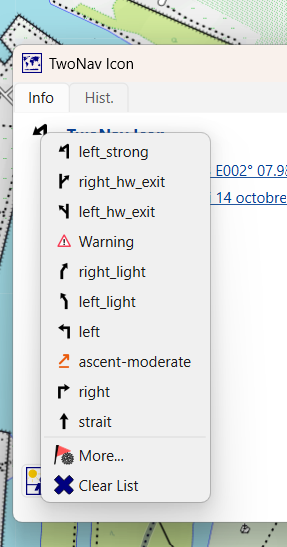
You have to add the library path as external Ico,s
Dream or reality?
- This morning, I update OSM (using the JOSM tool).
- This afternoon, I import the map in Garmin format—specifically the Freizeitkarte style (using the BBBike tool).
- Upon startup, I update the Qmap BRouter library.
The newly updated map opens on my screen (Qmap supports Garmin maps); I can plot a simple route or one with guidance instructions by adding icons from the TwoNav library (I simply need to specify the path to that library within Qmap).
So, I plot the route and add my guidance points or key waypoints.
I export the file to the TwoNav `/data` folder.
The next time I open Land, I mark the route to be sent to the GPS. It is then transferred to the GPS via GO Cloud, the Internet, and Wi-Fi.
When I turn on my GPS (while within range of a known Wi-Fi hotspot), the route loads automatically.Alternatively, I can manually retrieve it from GO Cloud directly on the GPS.
-
Thanks, Charles. I’ve been using Qmap for years to create GPX tracks for my old Garmin. I used to view Garmin maps in Qmap (the image shows Garmin’s famous—and useless—Trekmap). However, I never used icons; I’m not even sure if they existed for my Garmin. Where can I download them for the TwoNav? They look interesting; I assume that, besides being visible along the GPX track, they can also trigger an audible alert.
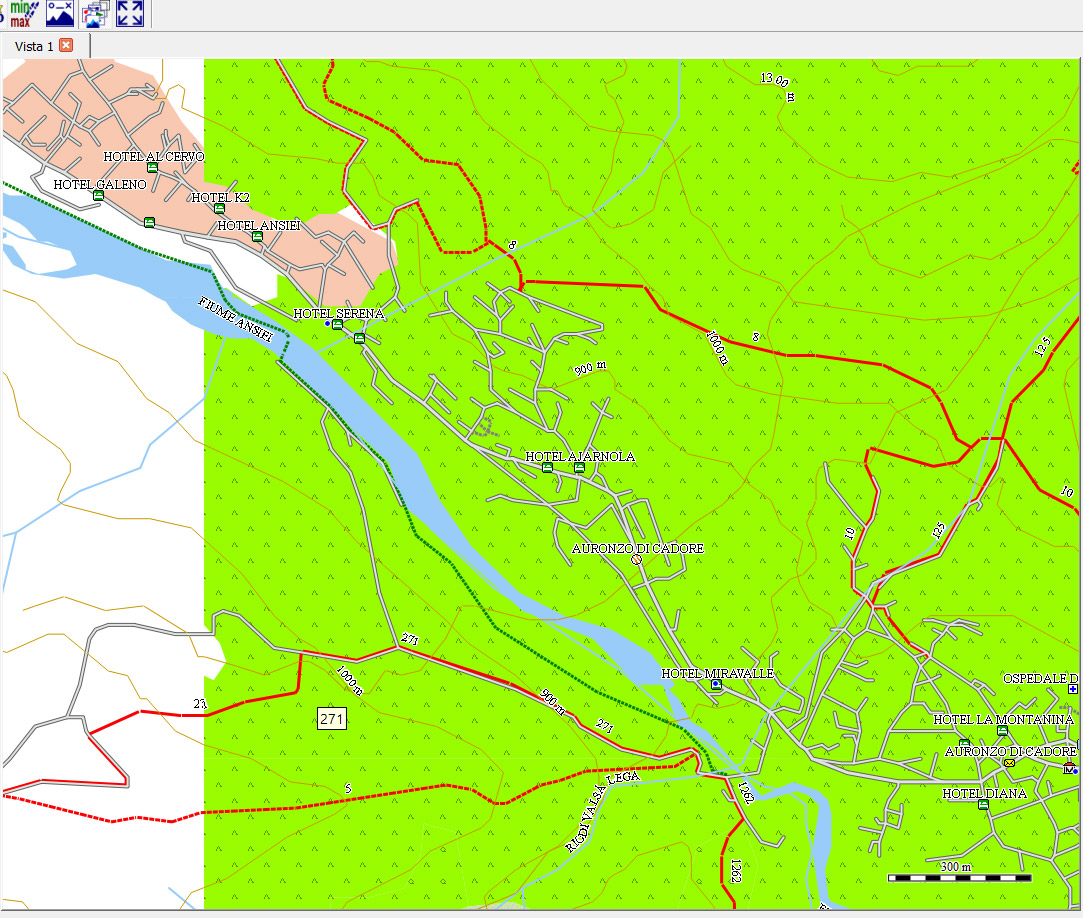
Second point: I already have various maps in .rmap format within Qmap. But on a TwoNav device (like the Terra), what is the maximum file size allowed for an .rmap or .vmap file? The ones I have (.rmap) are around 1.6 GB, but I could have created them for a larger area and in higher quality if the Terra supports larger file sizes.
-
Where can I download them for the TwoNav?
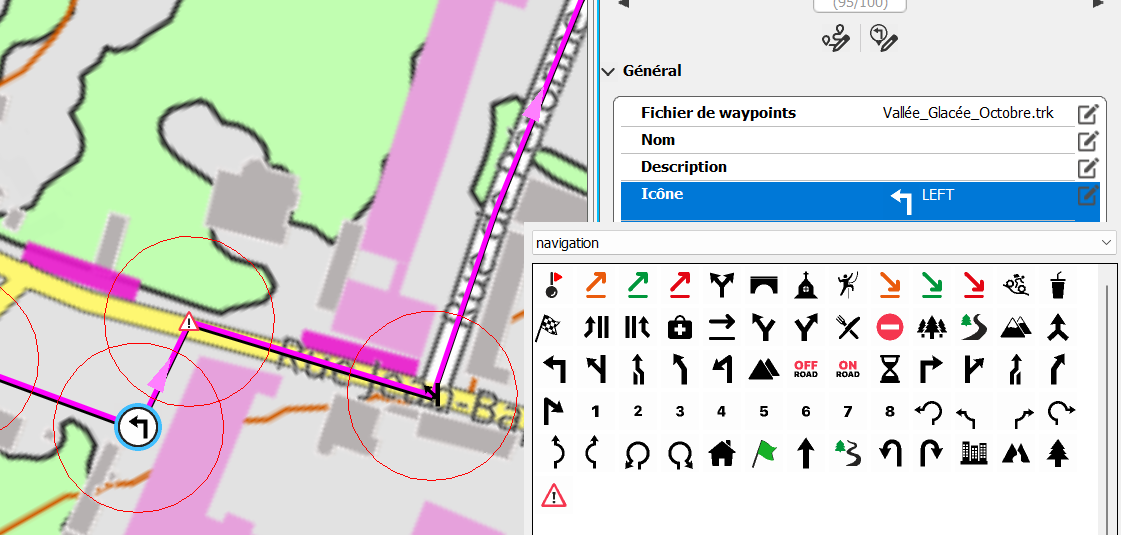
They look interesting; I assume that, besides being visible along the GPX track, they can also trigger an audible alert. YES You can set the radius circle around a WPT ou a Road book Point i used 20 m for the radius. Audio sound can be choice, which makes it possible to know the nature of the alert without looking at the screen.
unzipped Icon library is here C:\Users\thier\Documents\CompeGPS\Icons
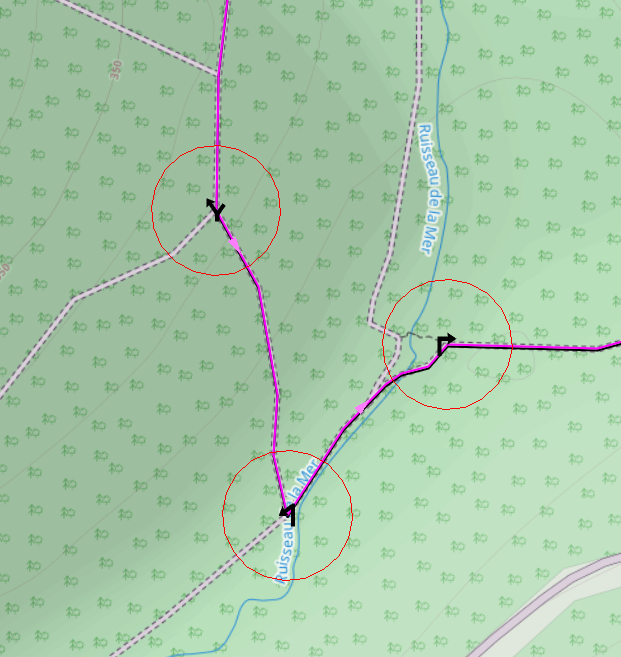
Icons and alert circle
But on a TwoNav device (like the Terra), what is the maximum file size allowed for an .rmap or .vmap file?
No limit

-
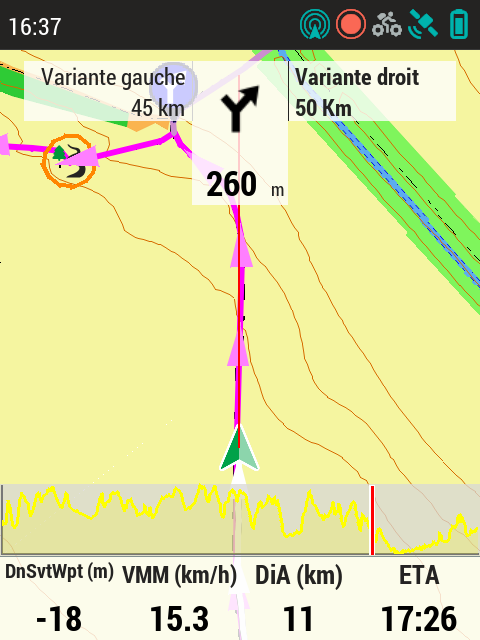
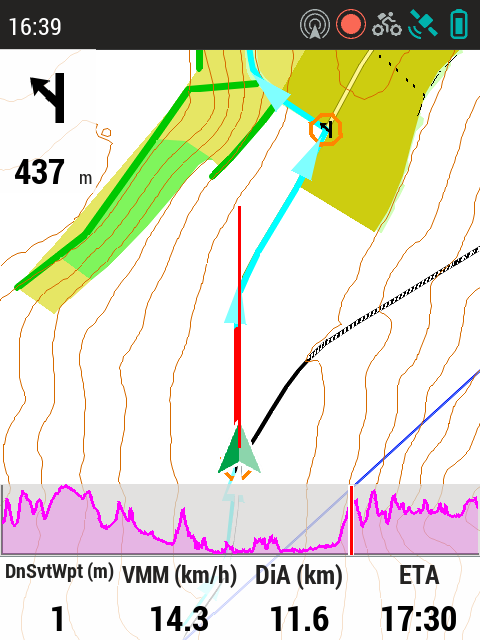
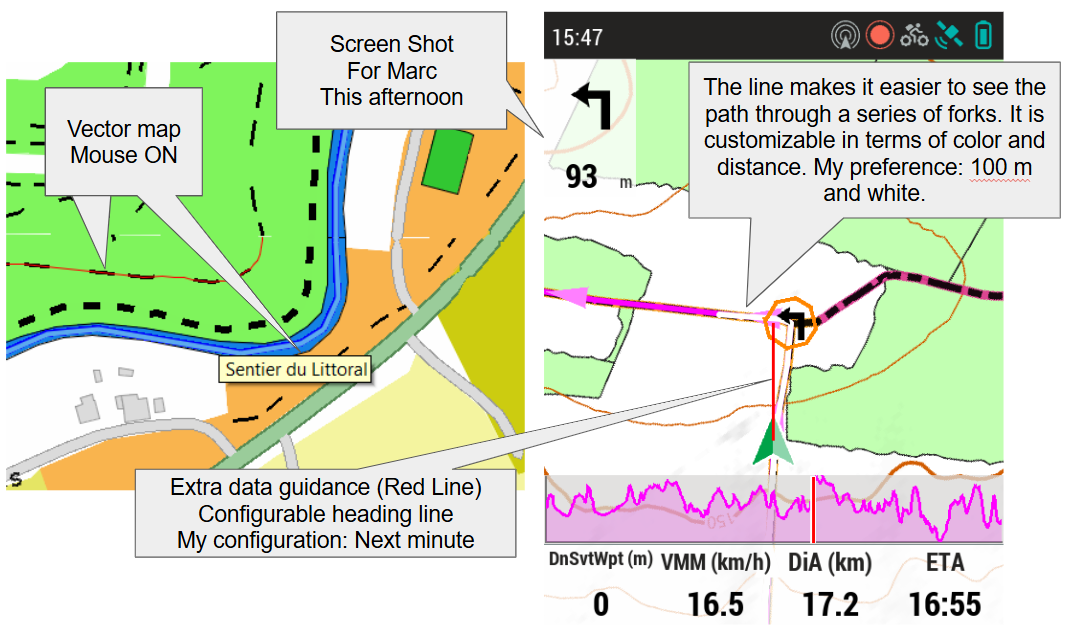
Road book on a Terra screen (Screen shot) OSM vectorial Map (*.vmap) Trendy IOF MTB display style
You can see the guidance icons and the alert circle (20m radius) before the turn. If the user strays 20m off-course (lateral deviation), an audible alarm sounds (I chose 3 beeps); 20m before the turn, an alert sounds to signal the upcoming turn (I chose the "Success" sound). So, while following the route, I pass the turn point; once past it, the next point remains visible on the screen (thanks to automatic scaling). A quick glance at the screen lets me memorize the direction of the next turn, so when the "Success" sound plays, I know which way to turn. If I get distracted, three quick beeps serve as a reminder the moment I deviate by 20m—alerting me before I’ve strayed too far.
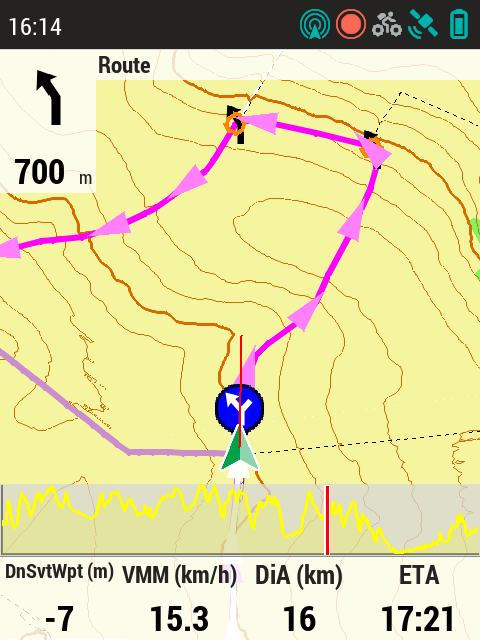
My longest route using this tracking mode was 10 hours without a single error; the GPS becomes a companion rather than just a tool.
The 20-meter accuracy figure accounts for the GPS itself, the maps, and the positioning of the track. You need to make sure to re-route imported GPX files, as they can sometimes deviate from the actual path. Qmap and Brouter handle this task well; the route shown in the image was generated using Qmap.
-
A raster map on a Terra screen—a screenshot taken to evaluate this type of map on this GPS.
The GPS screen resolution is just under 300 dpi, whereas the screenshot resolution is only 72 dpi.
There is a factor of 4 difference; the resolution on the GPS is four times higher, though it looks really good on the screen.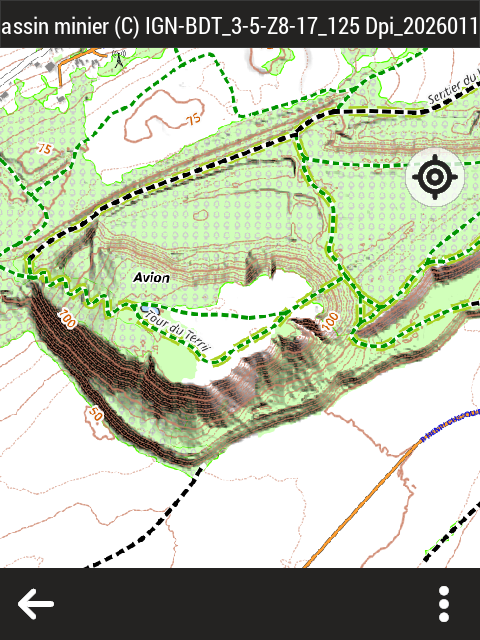
-
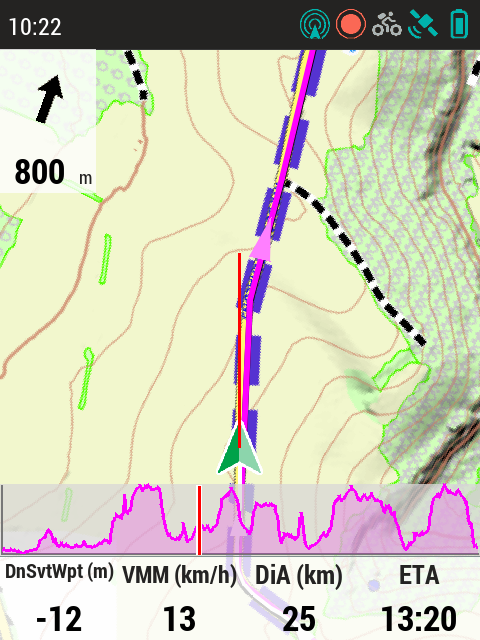
This screenshot was taken while following a route; it shows a raster map with a fixed scale (meaning the upcoming point could go off-screen). The goal of the test was to evaluate scale choices relative to screen size and the value of overlaying the route on the map in purple.
-
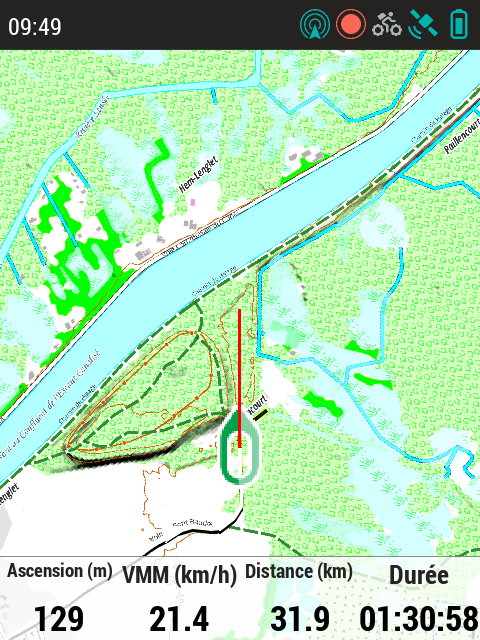
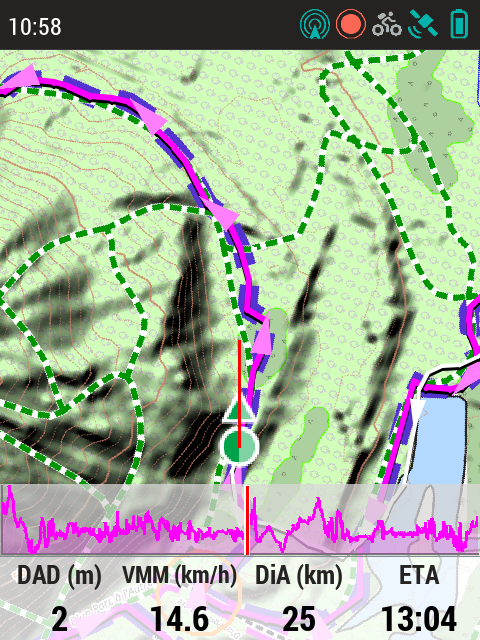
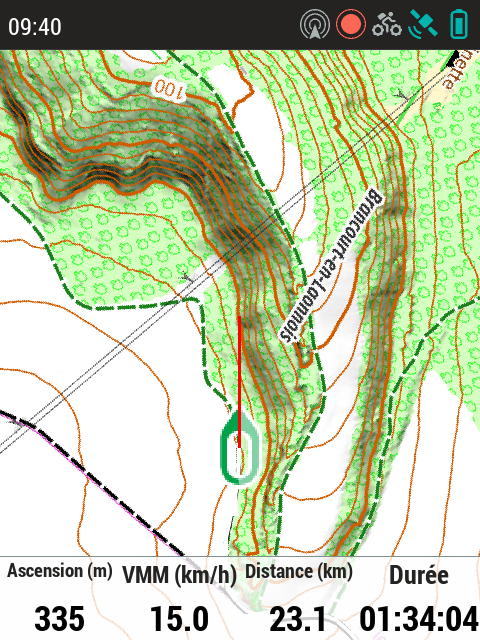
GPS usage (screenshot taken while on the route) without GPX tracking or turn-by-turn guidance—using map-view mode. The appearance of the paths is intended to indicate difficulty; in this illustration, the path lacks a difficulty attribute (green dashes on a white background). Screen shot 72 dpi real screen 300 dpi !
-
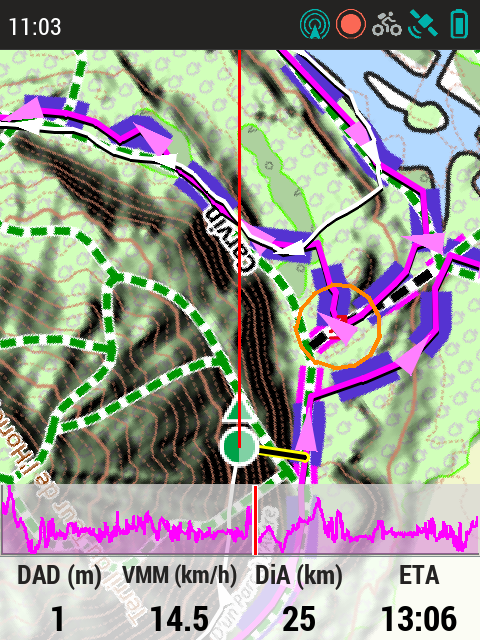
This case illustrates a potential route-following error: it is an area where, on one hand, there are significant discrepancies between reality and the map (a heavily trafficked area where paths shift quickly due to high foot traffic), and on the other, GPS positioning is difficult because you are at the foot of a tall slag heap under a dense canopy (meaning the view of the sky is very limited and GPS error increases). The GPS suggests looking for the path to the right. From memory, I am on the "new" path, but the next fork will be trickier since there are paths everywhere; the correct exit is indeed to the right. That said, the 20-meter alerts proved very useful that day, as they provide an immediate warning that extra vigilance is required.
-
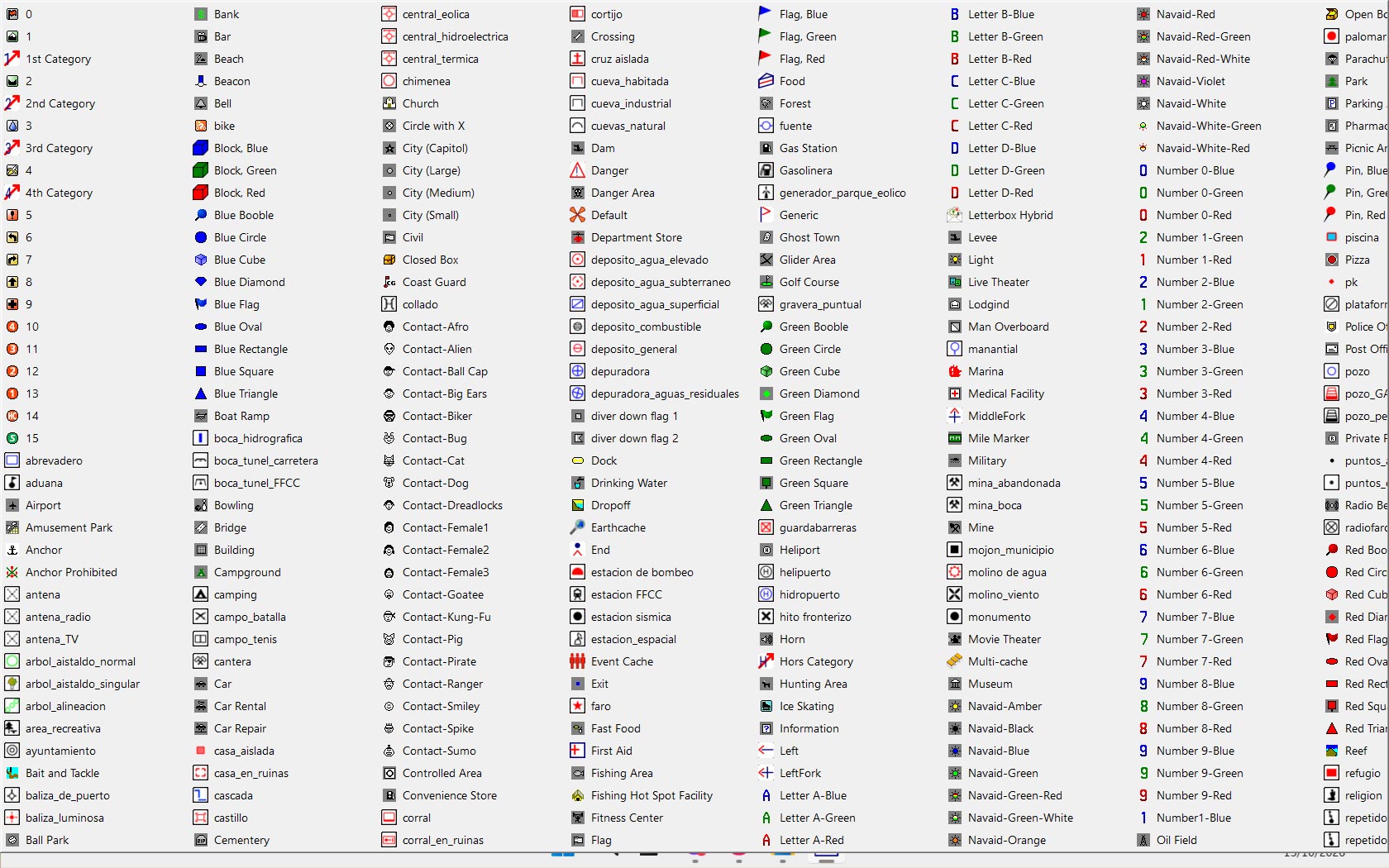
Thanks for the Terra screenshots of the additional icons and proximity alerts. This will be a big help, especially on those fast mountain bike routes. I tried adding a nice group of icons to the Qmap icons folder (user-config-Waypointicons), but I noticed that when I edit a WP in Qmap, the window that opens doesn't allow me to see all the icons in the folder; as you can see from the image, I only see these, and I haven't found any way to scroll the screen to see the other icons (the ones that start with the letters S, T, U, V, and Z are still there).
-
I have version 1.16 of Qmap; I’ll update it. I didn’t quite understand why you set it up to display a segment of the track ahead of you in white.Since you have the Terra, I’d like to ask you a couple of things: is the software stable? Does it come with mounts for attaching it to your handlebars or backpack? And does it have a hole for attaching a thin safety lanyard? Thanks.
-
Hello,
I’m not entirely sure why you configured the display to show a portion of the route ahead in white.
It’s like a glow-worm gliding in front of you, highlighting the next 100 meters of the path (this is an option in the settings). It’s particularly useful when there’s a series of turns in quick succession.
Is the software stable?
- Yes
- we’re currently on the sixth major iteration of improvements (TwoNav 6), and in my experience, there are no bugs.
Does it come with mounts for the handlebars?
Yes, those are included with the GPS.
What about for a backpack?
- Those need to be ordered separately; they’re well-designed and practical—I use them myself.
And is there a hole for attaching a slim safety lanyard?
Yes; the lanyards must be ordered separately.
There are two types available—I’d recommend getting one of each to see which one suits you best.
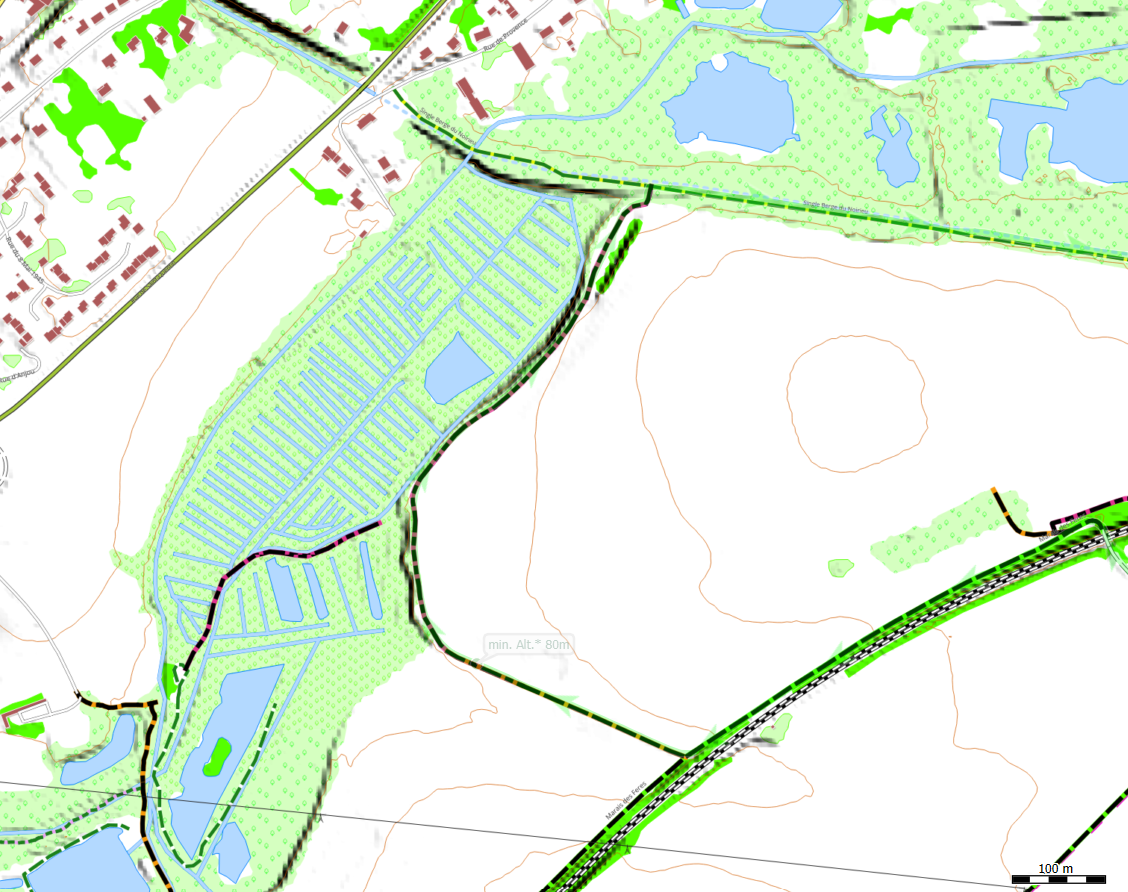
QMapShack is compatible with maps from OSM and Garmin, as well as TwoNav Rmap or RTMAP formats.
As of version 1.17, QMapShack also supports the *.MBTiles format; shown below is an example of a map I created for my local area.
The horizontal and vertical data are sourced from the country’s official national mapping agency, while the paths and trails come from OSM.
I have this map loaded on my Terra device, and I used it yesterday for navigation by following the map directly on the GPS screen.
The goal was to evaluate the map and its usability—it looks excellent on the GPS display:
- it is sharp and easy to read.
The new version 11 of Land includes a significant improvement to route planning with navigation guidance.
Best regards
-
Thanks, Charles. Since I have plenty of climbing cords (including some very thin ones), I’ll likely use those to secure the GPS device—for instance, by attaching it to my MTB handlebars using a girth hitch. I’ve been using maps in the .rmap format in QMap for years; I find it an excellent format. I have no experience with .mbtiles maps so far. In any case, the map I value most—which I already have in .rmap format for TwoNav—is the IGM (an old military map); I imagine you have something similar in France. I love following old routes marked on those maps; I’ve even discovered abandoned trails that way. I saw the presentation for the new Land11 software on the website; it looks like a really great program—it seems they’ve even incorporated AI.
-
I almost forgot: I’m really torn between getting the 32GB model or the 64GB one. My current Garmin only had 8GB of storage, but to be fair, the small display didn't exactly encourage me to load up lots of maps. If I recall correctly, I also made sure to keep the map files small to prevent the device from freezing or lagging while scrolling. The Terra should certainly be able to handle much larger map files. For instance, with my Garmin, I had to create very low-detail orthophoto maps; otherwise, they would have been too heavy for that GPS to process. I’m not sure what my experience will be like with the Terra—whether I’ll actually need 32GB or 64GB—so I’m finding it incredibly difficult to decide...
-
Hello,
In addition to the increased memory capacity, the 64GB version of the TERRA features a larger battery, providing over 15 hours of runtime—offering great flexibility for long outings.
There is no longer any need to adjust power-saving settings (such as limiting GPS reception—a common recommendation for Garmin devices—or restricting screen display); the TERRA can easily last an entire day without any usage constraints.
As for handling large map files, TwoNav imposes no limits on file size.
Personally, when I head out for long trips—lasting a day or more—I prefer to break my maps into smaller sections, as I find this makes for a smoother user experience (though that is just my own preferred approach).
Earlier this year, a user reached out to me regarding their plan to participate in the GRAALPS (raceacrossseries.com/graaalps-2026) this summer.
They were concerned about map management, as the route spans three countries, requiring multiple maps.
I created a single raster map for them in MBTiles format, compiling open-source data from the Swiss and French national mapping agencies (IGN) and OpenStreetMap for the Italian portion.
In the end, it resulted in a single, unified map derived from various sources.
I defined a corridor centered on the projected route (the actual route is provided the week before the event) and generated raster maps at zoom level 10 to 16 (min scale 1:1 000 000, max scale 1:15,000), for zoom level 10 to 14 is a copy of google map to have a wide overview. The number of maps is determined by the width of the corridor, which is designed to cover the entire path—a route that is neither perfectly straight, nor excessively wide or narrow. These maps were combined into a "hyper-map" (it is a script that calls up the individual maps regardling the localisation and user scale sélection), this is a feature specific to TwoNav.
For the end user, it is simple: they just select the script (which appears on the gps screen as a map file: GRAALP-Map.imp), and while on the course, the GPS automatically manages the display of the correct map at the appropriate scale—no manual intervention is required.
This map file was 8 GB in size, and the user was operating a first-generation TwoNav Cross Plus GPS device.
Upon his return, the user reported that everything worked perfectly—the map and the GPS performed flawlessly.
This week, I tested a new map in MBTiles format—1,441,284 KB in size—on my TwoNav Terra device.
It includes four zoom layers, ranging from level 14 (1:75,000) to level 17 (1:7,500).
The goal was to evaluate the map's readability, following the discovery of an "ambiguous" setting in the software used to create it (QGIS; this is unrelated to TwoNav).
In the field, the map appears perfectly sharp on the GPS screen (the configuration issue within QGIS has been resolved).
In short, there are no issues related to map file size, nor is there any loss of fluidity.
Best regards
-
I think I’ll go for the 64GB model, then. Years ago, I created various maps for Garmin and QMap using different software. Having multiple maps on the GPS makes for a better experience when I’m in mountains I’m not familiar with. One thing I definitely missed with my old Garmin was the lack of proximity alerts for POIs. Kudos on the multi-map you created for that user—it’s clear you have an immense amount of knowledge on the subject. This evening, I downloaded the "Alpen" map that Uwe recommended; I see it includes the file, and it’s in CompeGPS format (vmap). Now I just need to figure out how to view it, if only to see how it’s structured. It’s quite recent—from around August—and covers the entire area of the Italian Alps that I frequent. I’m curious to take a look at it. Thanks Charles
-
Hello,
Geofabrik extracts data from OSM by targeting specific geographic areas. The data is packaged by theme.
The key strength lies in this targeted extraction—for instance, the link you mentioned, which includes only data covering the Alps.
Creating a final map tailored to a specific activity requires an additional step: applying a "rendering" style, which determines how well-suited a map is for a particular use.
It is this work—carried out by OpenMTB (to use the example mentioned in this discussion)—that makes this map appealing for your specific activity.
Regarding the link to the map of the Alps, the available export formats seem limited; they lack options like *.shp or *.gpkg, which are now available for most other regions. It is generally better to import data by sub-region.
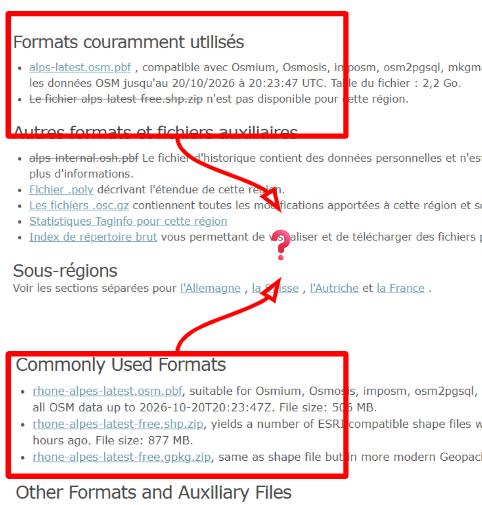
Files imported from Geofabrik in *.shp or *.gpkg format (the preferred format) are provided as zipped archives. QGIS can open these zipped files.
After that, you simply need to apply a visual appearance (style).
For geofabrik:
...//github.com/mkoenigb/OSM-Geofabrik_Universal-QML-Style
For common oSM
....//github.com/igeofr/osm2igeotopo/
Then, export as an *.mbtiles file using QGIS to get a map for your TwoNav GPS, or in *.kmz format for a Garmin GPS.
If you want to highlight one element more than others, it’s simple: just modify the style in QGIS.
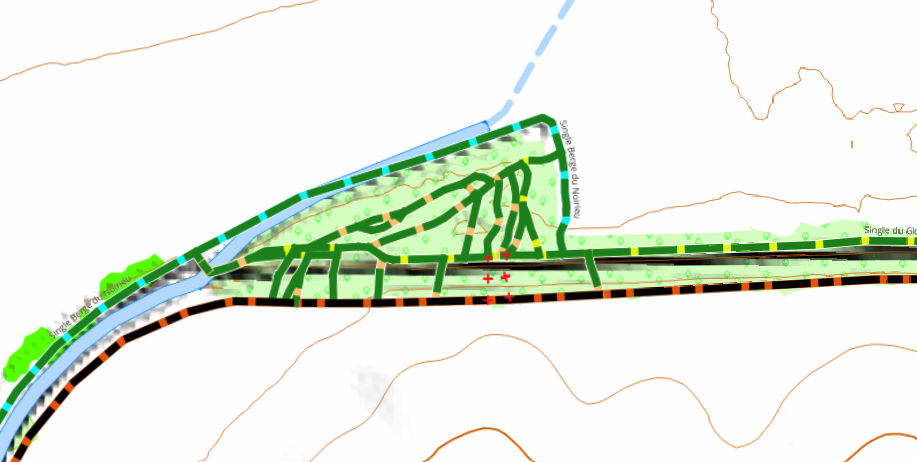
Do you want more or less readability?
When exporting, adjust the number of zoom levels.
Best regards
-
...and then you have a vectormap converted to a huge size rastermap format, which is not routable. Those crutchy steps are done, because Compe has over years neglected the vector map format.
Above mentioned Alps.vmap is a routable vectormap with searchable Pois which has its limitations but also some plus point compared to the rastermaps you are producing in QGIS or QMapshack.

Vous devez vous connecter pour laisser un commentaire.
Commentaires
62 commentaires