Can't successfully connect Garmin Fenix 7 or 8 to Land

Hi All
I'm hoping someone has an answer to this problem as I'm not sure if I'm missing something or maybe required specific settings for this to work.
I've searched the forum and found this support topic on connecting "other devices" to Land,
https://support.twonav.com/hc/en-us/articles/23097911934108-Connecting-to-devices-from-other-brands
It's pretty straighforward although it makes some assumptions without providing solutions if the steps don't work.
Having followed the instructions, I still can't successfully read or send any data to my two watches.
- Both watches are in the default USB transfer mode
- Both are not connected via Bluetooth to my phone
- Both do appear as a mass storage drive on the PC and appear in the Land directory tree under Devices.
- Both devices are 100% up to date
- Land is version 10
I'm on Windows 11 Pro
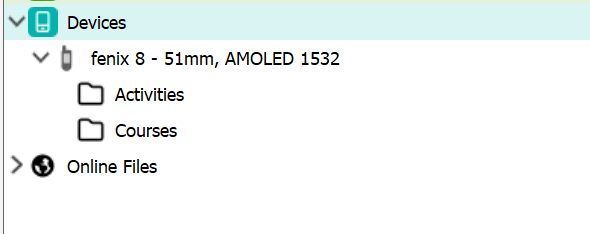
This is the directory tree, which when refreshed presents an arrow to load more, but when clicked nothing appears.
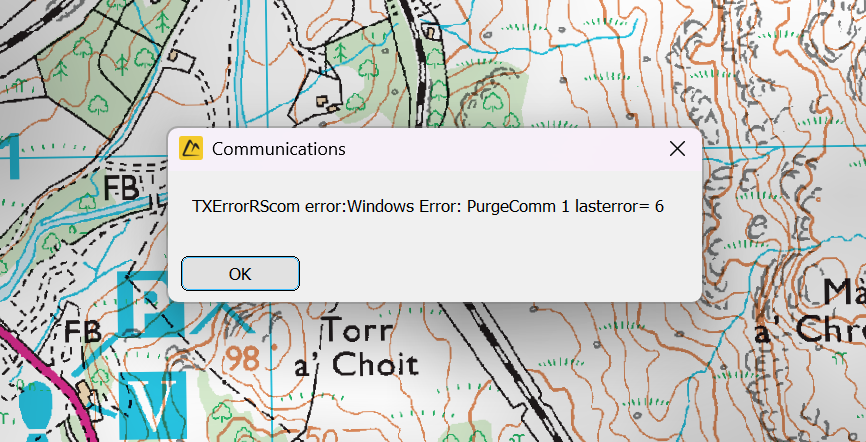
If I try to share a GPX file from my list of routes, this error appears.
I can currently only transfer files to of from the devices using file explorer. Would be great to just use the app as it's apparently supported.
Thanks
-
I'm sure it is possible to do all those things, but the aim is to drag and drop or share files in both directions directly from within the Land software as I can with my TwoNav Terra. It's much faster than fussing with another app!
If it's not actually a working feature, the fall-back that does work is to just export GPX files from Land, open them in Basecamp and let that software convert the file and transfer it over. Fortunately Land can directly read .FIT files copied off the Garmin, but unfortunately dropping .FIT or GPX files directly into the Courses folder on the watch doesn't work, it needs some type of conversion first.

Bitte melden Sie sich an, um einen Kommentar zu hinterlassen.
Kommentare
2 Kommentare