problemas con mapas osm

abro un mapa OSM con land y al querer guardarlo sólo me deja en IMP,pero luego no puedo abrir el IMP y me da error, sin intento abrir el osm y guardarlo en MPV, no me deja y tampoco sale la opción de guardarlo en MPVF
-
Tengo la versión 9.8.1 pagada, lo que habéis hecho es no dejar que podamos utilizarla para hacer mapas para que pasemos a la versión 10, he probado una versión antigua del land 7.7 y me funciona perfectamente.
Yo ya pagué en su día una licencia para siempre de land 9, lo que han hecho los de twonav es no poder utilizarla para que pasemos a la 10, llevo muchos años pagando y no voy a pagar más.
gracias
-

Hi, even in V9.8.1 mpvf saving is possible. You need for that a compescript (OSM-MapCreate.cgs) like the one I published here before and which Thierry is referring in one of the pictures. Search this forum for it or contact me if you can't find it. Though I recommend using Land not higher then 8.96 for it since Compe seriously screwed the mpvf map creation later.
-
Hola,he instalado el land 10.3 y no me deja guardar en MPV,en land 8 y 9 tampoco, pero he probado con land 7.7.2 y si funciona, abre bien el mapa y luego puedo guardarlo en MPV,pero el mapa no puede ser muy grande,por eso necesito una versión más nueva de land,pero estas fallan.
-

Es agotador responder a los "groseros" que no entienden nada y se hacen la víctima.
Somos usuarios, no tiene sentido llorar; en el peor de los casos, te dejaremos en tu "mierda".
¡Listo! ¡Pero a veces hay que decirlo!
En todas las versiones de Land hasta Land 10, puedes crear un mapa en formato MVP o MVPF.
A partir de Land 10, crear un mapa en MVPF es imposible (¡Saca el pañuelo para secarte las lágrimas!).
Sin embargo, puedes ahorrar en MVP si tienes la suscripción adecuada.
La mejor versión para crear un mapa en MVPF es Land 8 antes de la 8.5 o Land 7.
Con el script anterior, funciona, aunque con mensajes de error falsos y algunos fallos.
Si quieres LLAMADAS, al menos usa el canal adecuado para comunicarte. Hay un enlace arriba a la derecha: ENVIAR SOLICITUD. Al menos tendremos un usuario más que va por buen camino en lugar de jugar al Quijote.

-
thierry, no sé porqué te enfadas,yo no tengo nada contra ti, gracias por ayudarme,mis comentarios negativos son para twonav,pero por experiencia se ,que por mucho que les digas algo, no hacen nada.
Sacan actualizaciones que van peor que las anteriores y encima quieren que pagues otra vez por algo que va mal.
-
Glad to hear, thanks for the feedback.
Yes, it works up to Land 10. It's the author who is mistaken. From Land 10 onwards, saving in MVPF is no longer possible, but using an MVPF is possible.
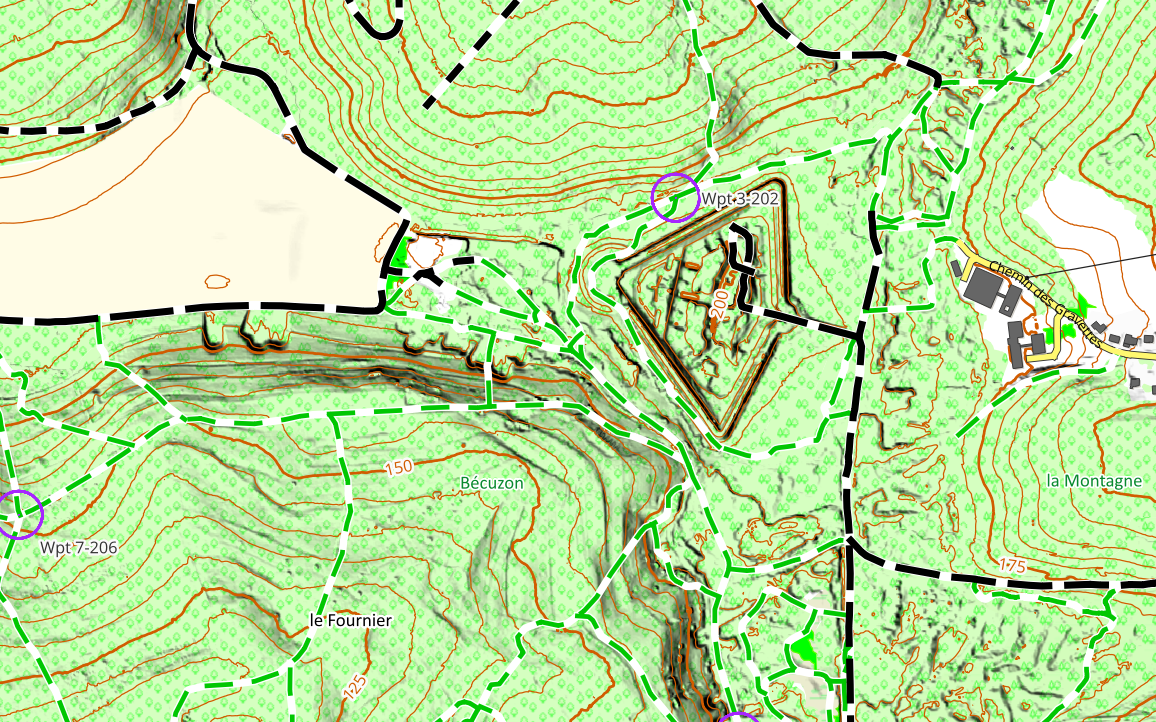
Vector map created with Land 8, viewed with Land 10.4
- One script in *.imp format
- Two layers in *.mvpf format (contour lines)
- One (multi-layer) *.vmap layer (Import BBBike -> Vmap with Land)

The same area this time in MBTile format, a merge of IGN vector data and OSM data

I'm waiting for TwoNav to explain the new *.Gpkg format. The *.mbtile map above is basically a list of *.gpkg vector layers exported to MBTILE. But the original GPKG map is not recognized by TwoNav.
Best regards
-
Thierry,
From Land 10 onwards, saving in MVPF is no longer possible, but using an MVPF is possible.
As I tried to explain before (when I published the OSM-MapCreate.cgs script), mpvf and vmap are basically the same. So with the help of the script, mpvf creation is still possible in Land10 but faulty (last time I checked, Land crashed at the end but the created vmap file was working-if you rename it into mvpf it will work too).
Your creation of an mpvf contourline layer looks interesting - could you please explain how you this.
I aggree MBTILE and GPKG without the vector part are not that helpful and if only rastermaps are working in those formats I don't see the reason for it too. For me, rmap or rtmap with a good imp file is much more flexible to handle.
Regards.
-
Uwe,
To add relief (curves) to a vector map:
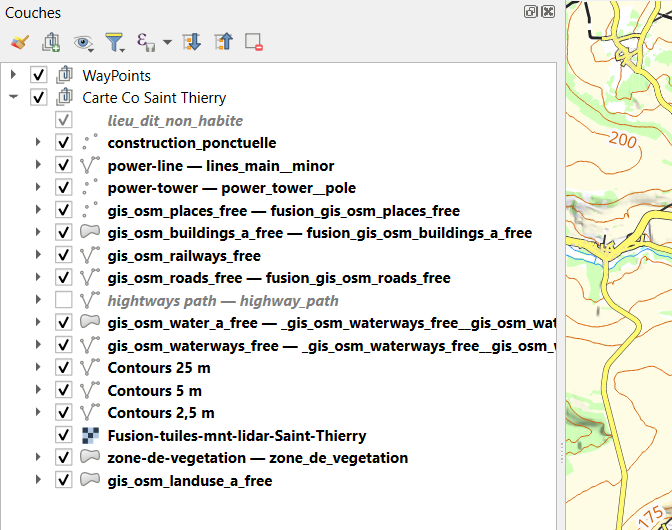
- Import the relief, merge, and crop the relief tiles to the map size (Land can do this, QGIS can do it).
- Extract the curves from the relief, (for example, with QGIS) , you need a GIS software.
- This produces a map for each curve type, either *.gkpg or *.shp.
- Either work with QGIS (for example), and each curve map is managed as a vector layer, which is managed like other data layers.
- Or import each curve map (*.shp) into Land, which must be saved as *.mvp or *.mvpf (preferred *.mvpf because it is less segmented).
Once converted to *.mvpf in Land (land before Land 10), it becomes a vector map (configurable rendering in Land).
Import the OSM data for the future map.
Assemble everything (3 lines) into a hypermap, save, and you're done.
The rendering (visual appearance) as well as the presence-absence or presence-absence management linked to the zoom level are configurable. This only needs to be done once; the corresponding *.clay files can be duplicated.
QGIS allows you to create maps directly by importing data from the geographical institute, adapt the rendering, add labeled curves, add relief shading, play with false colors, etc. Unfortunately, TwoNav only accepts MBTILES or GEOTIFF raster images.


-
Points two and three, really nothing complicated, it's become easy with QGIS.
QGIS exports to MBTILE. All TwoNav devices are now compatible with this format. What's the point of switching from MBTile to Rmap? I only see a loss of quality! Mobac also exports in MBTile SQlite format.
In MOBAC, exporting to MBTile Sqlite format also allows you to overcome certain limitations related to the size of Rmap tiles in MOBAC, given that the sizes of ZOOM tiles differ, and they must be strictly overlapped. This constraint disappears with MBTile Sqlite.
-

Thierry y Uwe B., sois unas eminencias en esto de obtener mapas vectoriales.
¿Qué os parecería hacer un tema en este foro, que sea un tutorial con todo el flujo correcto para obtener esos mapas de la mejor manera posible?Yo he hecho algunos descubrimientos recientes, que no están comentados por aquí, como por ejemplo la forma de poner altitudes a las montañas, o conseguir que las masas de agua (cauces de ríos y lagos) se vean correctamente como antes, en lugar de una simple línea recta.
Me gustaría compartir toda esta información, pero considero que sería apropiado concentrarla toda en un mismo hilo, como decía antes.
¿Qué os parece?
-
Hi, Vito Jack that idea is not bad but I'm not not feeling well about putting this information into this "forum". Why?
1) That so called forum isn't organized enough to find things again easily.
2) Historical reasons - we had a working Compe forum maintained by Compe which was a well of informations but they decided to stomp on it and delete it - so I don't trust them not to do it again.
3) We have a german forum which exists a long time now, is organized properly and has still all the information we put years ago into it (naviboard.de).
4) My map creation process consists of huge preprocessing of the source osm data via scripts a got from someone else and I will not share this info without his consent (polygons to poi, way processing, scales integration in way names etc.). The base of it is the work of Bernhard Mai which can be accessed here: https://www.maiwolf.de/openoutdoormap/
Cheers, Uwe
PS: You can find a 2026 version of Germany OSM (though it has a bug showing lakes and some other water areas) and a 2025 version of Alp OSM map, created with this preprocessing process, here:
-
Uwe B., entiendo perfectamente tus motivos para no estar cómodo con mi propuesta. Visto así, a mí tampoco me parece buena idea.
Aparte del foro de naviboard, hay algún foro (en inglés o español) recomendado? Yo en alemán no me puedo defender, y los traductores no me acaban de ayudar a veces.
Mi intención es poder cocinar mis propios mapas del modo que tú dices, usando flujos de trabajo complejos de preprocesamiento. ¿Por qué? Porque mi intención es aprender mucho al mismo tiempo.
He estado viendo rápidamente la web de mainwolf, y wow!!! perece impresionante. Espero ser capaz de comprender todo este flujo y ser capaz de lograr cosas así.
Gracias!
-
Bonjour,
Il n'est plus nécessaire de prétraiter les données OSM, car ce prétraitement est déjà effectué en amont.
La première solution consiste à importer la zone qui vous intéresse sur le site web de BBBike au format *.OSM. Ouvrez ensuite cette carte avec LAND et enregistrez-la dans l'un des formats suivants : *.mvp, *.mvpf ou *.vamp (en utilisant l'exécutable .vamp). Votre carte est alors prête. L'onglet Propriétés vous permet de personnaliser son apparence.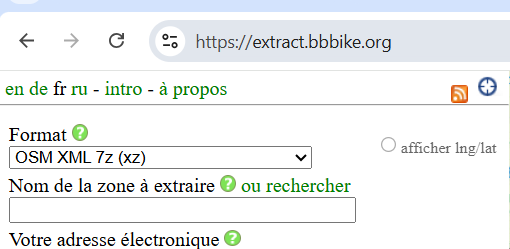
Hello,
It's no longer necessary to perform preprocessing on OSM data, as this preprocessing is already done upstream.
The first solution is to import the area you're interested in into the BBBike website in *.OSM format. Open this map with LAND and save it in one of the following formats: *.mvp, *.mvpf, or *.vamp (using the .vamp executable). You'll then have your map. The properties tab allows you to customize the visual appearance to your needs.
Other solutions follow.
Cdlt
-
For the previous solution, it's best to use a version of Land prior to Land 10.3, because since Land 10.0, the *.mpvf format is no longer supported by Land, and for *.mvp, I believe the customization of the appearance still doesn't work.
Since this version (Land 10.3), after repeatedly reporting this bug, I gave up because nothing positive emerged.
So, the ideal solution is to reinstall Land 8.x (before 8.5), and it works very well. *.mpvf, *.mpv, and *.vmap maps are fully supported by TwoNav GPS devices, the app, and Land prior to 10.0.
-
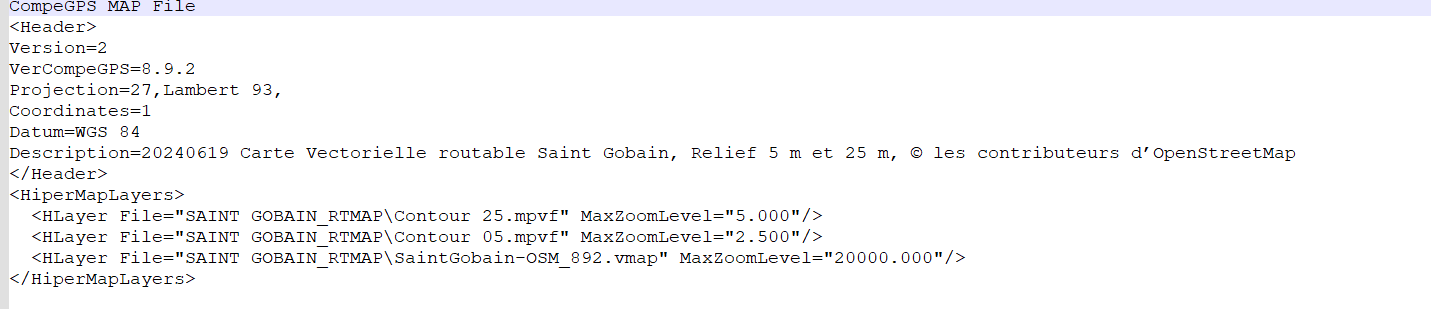
To add terrain contours to a vector map, one solution is to manipulate the *.osm files.
Tools exist, but it's relatively complex; ideally, the vector layers should be assembled into a hypermap.
Contours can be extracted from a digital terrain model in *.shp format.
Land (preferably version 8.x) allows conversion to *.mpvf format and assembly of the layers into a hypermap.
Example
-
Depuis environ un an, TwoNav est compatible avec le format de données *.mbtile (Land 10 PRO, GPS 6.X, APP 6.x). Vous pouvez créer des cartes dans ce format à l'aide de MOBAC (faites une recherche en ligne avec MOBAC) ou de QGIS (de nombreux tutoriels sont disponibles en ligne, sur YouTube, etc.).
En principe, avec MOBAC, il suffit d'installer des scripts pour visualiser les cartes existantes, puis de créer une carte (Atlas) au format *.mbtile ou *.rmap.
En principe, avec QGIS, le processus est similaire à celui de MOBAC, mais plus simple : il suffit d’ajouter un flux WMTS (voir les tutoriels) et d’exporter la carte au format *.mtile.
Alternatively, you can import the map layers. These layers are either available online on your country's official website (European Directives) or you can import them via https://download.geofabrik.de/europe/spain.html
For example a the right of the line .gkpg.zip
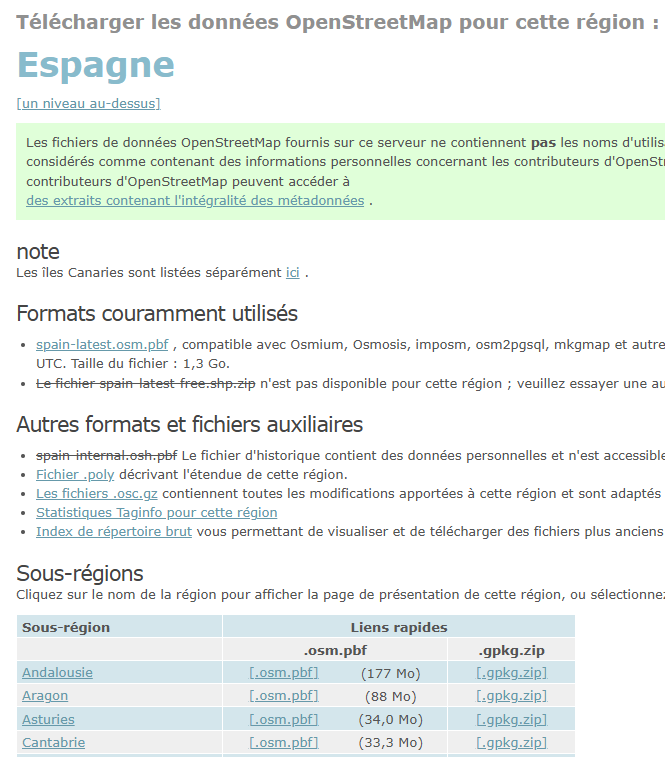
These files have undergone preprocessing and are directly usable in QGIS.
-
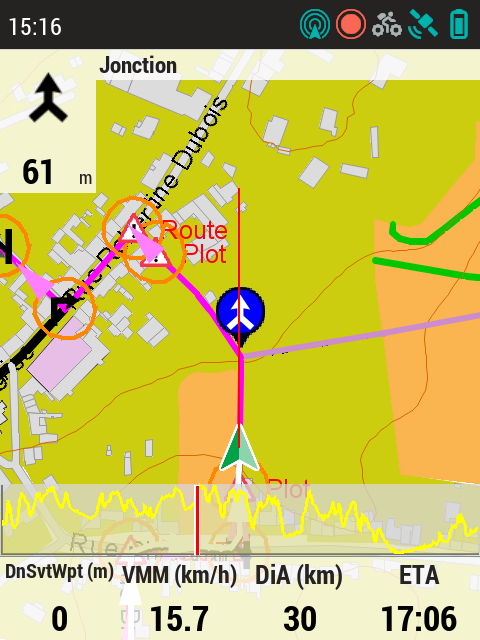
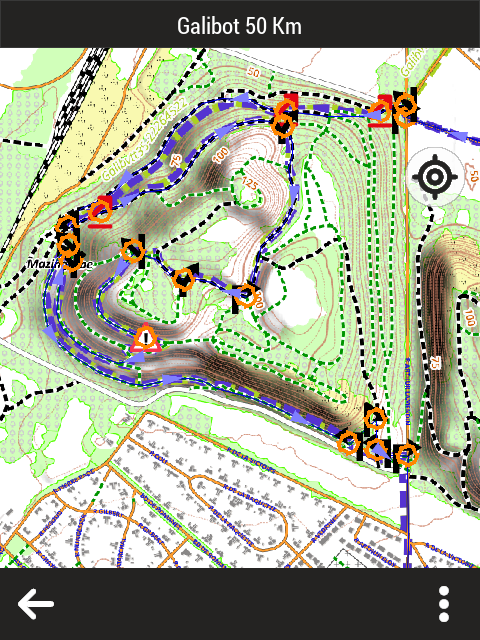
As a precaution, the GPS screenshots are low resolution (72 dpi), three times lower quality than the GPS screen itself.
TwoNav does not correctly manage the display scale of these maps. You must adjust the scale in your settings (the difference between your latitude and the equator is 45°, so divide by the cosine of 45°). This is only important for users who require a precise scale.
-
While working with OSM vmap for twonav some things have to considered:
1) If we use it in connection with rastermaps as an additional layer a lot of multipolygons are not shown and we don't have a way to change this (for instance lakes, parks, ...).
2) Land is not able to create POIs out of multipolygons, if we wish to create them we need to change polygons into POIs (in my example for instance via ferrata, climbing spots, housenumbers...).
3) Twonav has the ability to show a lot of information in the POIs but they cripled the GUI in the app and refuse to make the information window adaptable, its actually one line of code in a specific xml file which needs to be changed but they don't do it - for instance to include opening hours on the restaurant POIs. So we are forced to find other ways to circumvent those limitation.
4) Years ago they promised adress search in OSM vector files. The only thing that happened was that they crippled the vmap/mpvf output in a way that one has to use Land 8.9* for the creation, since all the other versions are just too buggy. And now it seems they found the idea to limit the user experience to mpv maps alluring which is ridiculous and only helpful if you are living on a small island and don't want to travel more than 50km.
Thierrys way is interesting for a very small area. If I wanted to do this for larger areas I wouldn't have the space on the devices for it, so I use "traditional" rastermaps and OSM vector maps as additional layers, which I find much better readable than those created from OSM databases, but I'm mostly walking and climbing, so this is my map taste.
And sorry, I don't know another forum with the quality of naviboard with other languages than German.
-
Thierry, que need to convert poligons to POIs, because Land don’t show the name of multipoligons, i.e. the name of important buildings (church, hospitals, etc.). The only way is convert multipoligons to POIs.
I did that with JOSM, but now i discover better ways with scripts.


Vous devez vous connecter pour laisser un commentaire.
Commentaires
41 commentaires