Seeing Other People's Routes

When I first got my TwoNav Aventura 2, the maps showed light blue or brown lines that were routes taken by others. This was useful in remote areas for finding routes not shown on maps and a damn nuisance in popular areas as there were so many lines on the map that it was hard to read.
I sent the unit back on an unrelated issue and when it was returned to me, the user routes didn't show. And that's been fine but the other day I accidentally put my Aventura 2 in my pocket without switching it off and presumably some settings got changed and the lines have returned. Please can someone tell me how I can switch this function on and off?
-

Please make:
1) a screenshot of the route selection menu of your devices including the routes you want to enable and disable and share here.
2) A screenshot of the mapscreen with those routes.
From your explanations it is not clear enough about what you are talking but my tentative guess is, you are not talking about routes but about an open vector map overlay and for that we have a very simple solution.
-

Hello,
Generally, no map displays other users' routes; it's most likely that these lines correspond to something else.
Which map are you using?
A map with other users' routes is called a hot route. It's the map provider's responsibility to overlay a data layer (e.g., Strava heat map, Suunto, etc.).
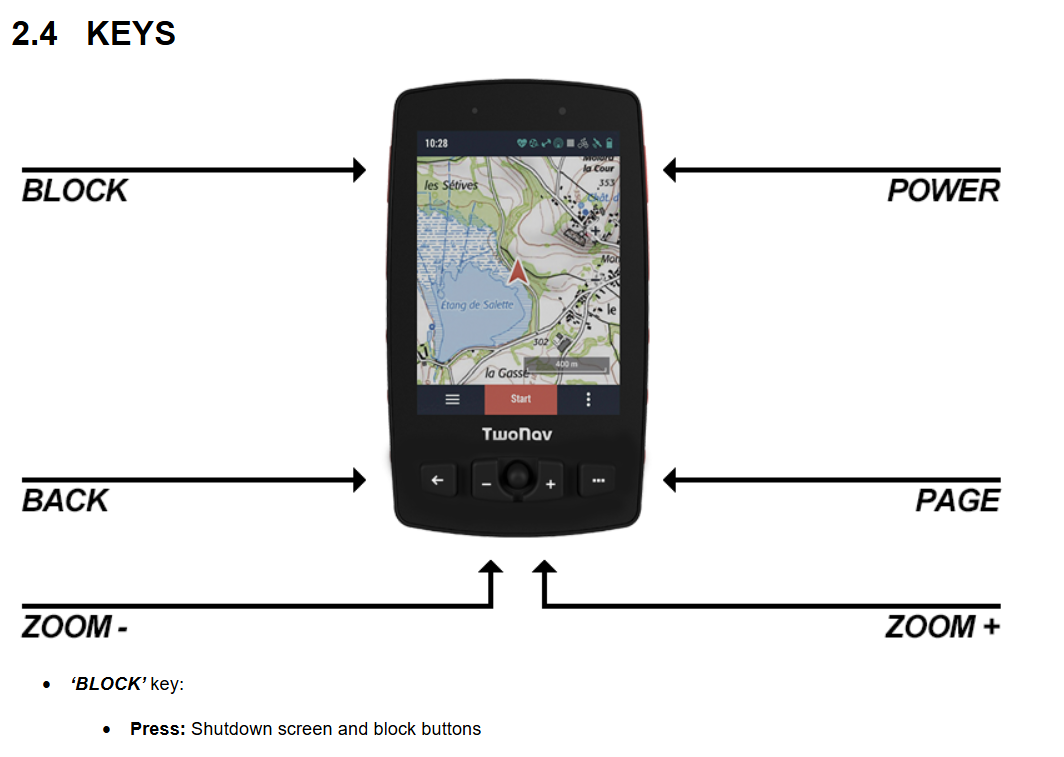
Twonav doesn't offer this type of map. It's most likely that you're using a vector map (OSM21Qx) and that you've changed the display criteria in your usage mode. An example to illustrate this is the visualization of waterways that changes from blue to red. This is possible if you put your GPS in a pocket with the buttons or screen contact active. A combination of presses can cause uncontrolled actions. You must configure it to inactive mode before putting it in a pocket or backpack.
Used BLOCK Key
-
Uwe B. Thanks for the reply. It's not doing it now. I went to Profiles, then switched from Hiking to Biking. The lines were not there on the Biking profile. I went back to Hiking profile and the lines had gone. So I'm afraid I can't screenshot it. I'm using Ordnance Survey and as far as I know, it's Raster map.
-
Thierry CHARLÈS Thanks for the reply. I'm using Ordnance Survey Raster map. As far as I know, nothing to do with Vector. It's not the features of the map that have changed, the map is overlayed with routes that other people have used with: any GPS, TwoNav, Komoot, Strava, Anquet? I don't know.
-
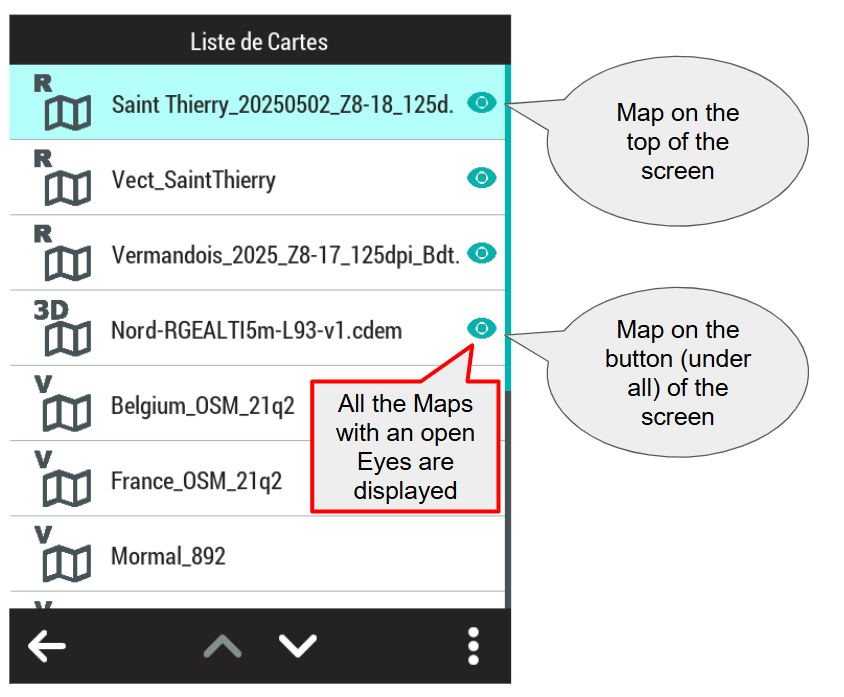
Jez Turner: My very strong suspicion is that you opened a vector map and it overlayed the OS raster map. Twonav allows you to have multiple maps open and easily switch between them.
Have a look at this to learn how to do it:
https://support.twonav.com/hc/en-us/articles/14068764109468--Alternate-maps-function
To recreate your situation, just open the OS raster map AND a vectormap of the same region, f.i. an OSM map which should be installed on your device, having the suffix vmap or mpvf or mpv.
-
Uwe B. OK, I'm half way there. The maps I use are GB Raster. I went through the maps on my TwoNav and found GB Vector (it was at the bottom and took ages to scroll to it). I selected it and it went to the top of the menu. I went back to my TwoNav screen and the overlays were there. Good! Then I attempted to add the option to toggle maps on the toolbar but that didn't work. So I tried the same trick as before: switched to mountain bike profile, opened the map (no overlay) then switched back to hiking profile and no overlay.
This means I can now choose between Vector (with the overlays) or Raster (without overlays) which is what I wanted, although it will be cumbersome.
-
It seems to me that you are missing some crucial understanding of how twonav is handling maps. Please have a look at this:
https://manual.twonav.com/manual/twonav_53_en/wiki_aventura2/#!42maps.htm
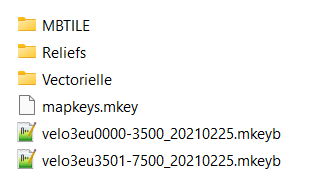
For the OS maps, which are probaly in multiple tile format, it would be best to use in *.imp file to load them if needed. imp files can combine multiple maps and show them according to their need. A for OS preprepared imp file can be downloaded here:
https://statics.twonav.com/mapas/Overviews/GBOS/GB_OSTopo.imp
To use it you have to put all the OS tiles GB_OSTOPO25K_%03d_%03d_*.rtmap into a folder GB_RTMAP and put the imp file in the folder above. Booth of the OS overview maps have to be in the same folder as the imp file. They can be downloaded here:
https://statics.twonav.com/mapas/Overviews/GBOS/GB_OSTopo25k_overview_4.rtmap
https://statics.twonav.com/mapas/Overviews/GBOS/GB_OSTopo25k_overview_7.rtmap
If your tiles are named differently you have to point me to them to give more help. The difference between rmap and rtmap suffix is, that rtmap files are not shown in the map selection dialogue but can be used in an imp file so they don't clutter the selection dialogue if you have hundreds of them.
-
PS: It seems that in your profiles automap is switched to on. That is supposed to make things easier but that isn't allways better ;)
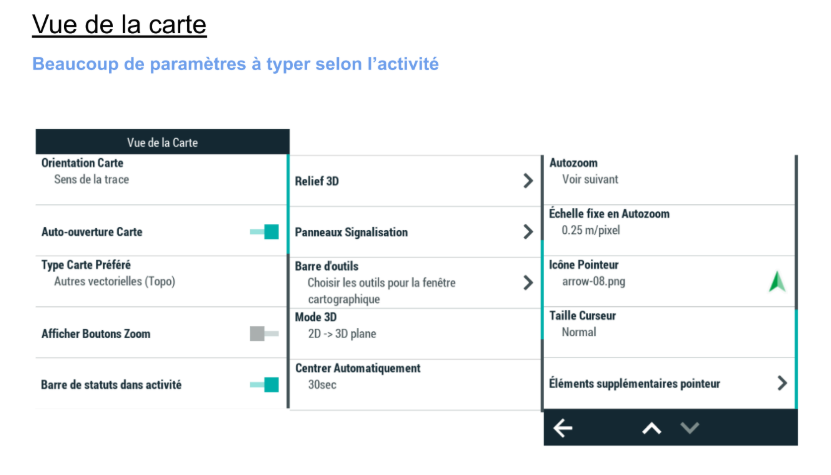
If you prefer to manage your maps manually, disable the ‘Auto-open maps’ function from ‘Main menu > Settings > Activity profiles > Map view > Automaps’.
-
OK, thanks. I've got the whole of Britain loaded, down to 1:25,000 and it opens at my location, which is all I need it to do. It's actually not going to be hard opening Vector because it's stayed near the top of the list now. So I'm happy.
Sorry to bug you but I have another question:
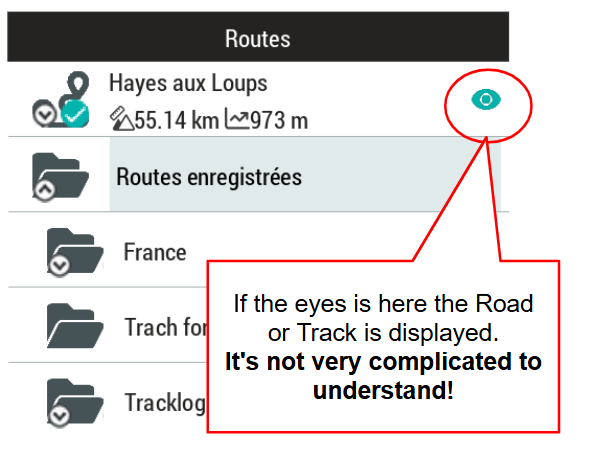
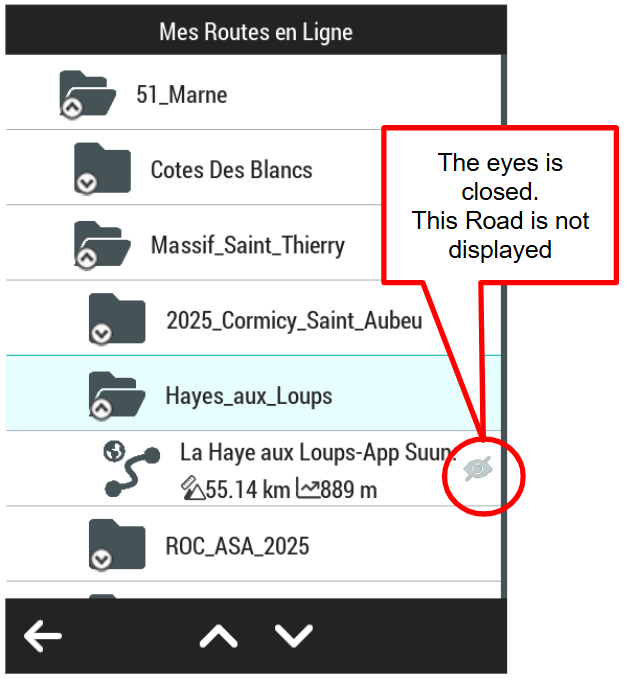
my own routes that I have recorded always show up on the Raster map. Is there a way of stopping it from doing that, without deleting the activity?
-
my own routes that I have recorded always show up on the Raster map. Is there a way of stopping it from doing that, without deleting the activity?
They shouldn't, only the active recording should be shown. If other are showns just go to the activities and close them by clicking on the x in the upper corner.
-
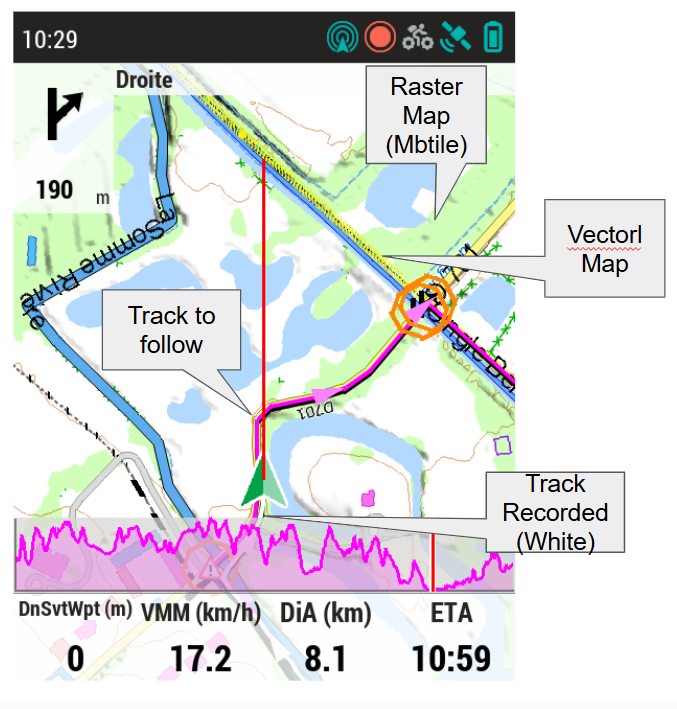
In this example (Screenshot during the activity) three maps are superimposed in this order Above Vector map (100 layers), Raster MBTILE 18 zoom levels and below the relief. The yellow line is the mountain bike cycling caractéristique of the path (Easy) it is an element of the vector map that can be easily modified
Vous devez vous connecter pour laisser un commentaire.
Commentaires
20 commentaires